Amazon Buy with Prime: The Complete Seller’s Guide (2026)
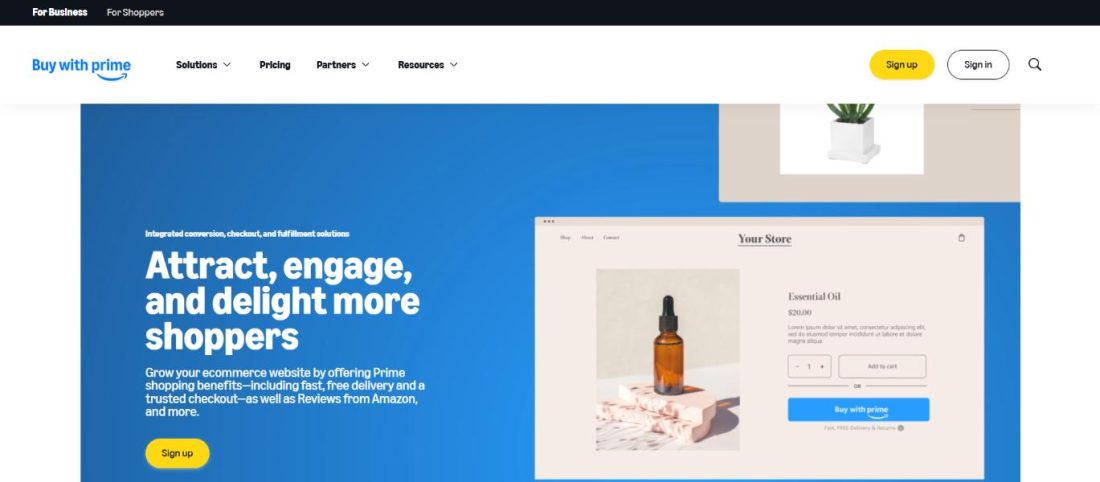
Amazon Buy with Prime lets DTC brands embed Prime checkout on external websites using FBA/MCF inventory, with Amazon sharing post-purchase customer data (name, email, address) back to the seller — a significant departure from standard Amazon.com seller data policy.
Amazon is extending its fulfillment and trust infrastructure beyond its own marketplace to compete with Shopify's ecosystem — sellers gain conversion tools but deepen dependency on Amazon's supply chain, accelerating platform consolidation.
The customer data access is the buried lead: sellers can build CRM lists and retargeting audiences from off-Amazon Prime orders, which is impossible on Amazon.com listings. DTC brands should set up post-purchase email flows immediately and map Buy with Prime customer data into their ESP/CRM within the first billing cycle.
Operational Impact
This story may require teams to revisit workflows, monitoring, or platform assumptions.
Bottom Line
Buy with Prime unlocks customer data DTC sellers can't get from Amazon.com listings.
Source Lens
Industry Context
Useful background context, but lower-priority than direct platform, community, or operator intelligence.
Impact Level
medium
Buy with Prime unlocks customer data DTC sellers can't get from Amazon.com listings.
Key Stat / Trigger
No single quantitative trigger surfaced in this report.
Focus on the operational implication, not just the headline.
Full Coverage
Amazon Buy with Prime is Amazon’s own native checkout and fulfillment program, built for third-party sellers and DTC brands running an independent website outside Amazon. com.
It lets Amazon Prime members check out on that website using their saved Amazon payment and shipping details, while Amazon handles fulfillment, returns, and customer service behind the scenes.
For sellers weighing conversion gains against fee stacking and catalog sync headaches, this guide breaks down real 2026 pricing, eligibility, and what actually happens once you flip it on.
If you’ve typed “Amazon buy with Prime” into Google looking for something more useful than Amazon’s own marketing page, you already know the basics: Prime badge, fast shipping, familiar checkout. What most guides skip is what happens in month two, once your ops team is dealing with split shipments and catalog sync errors.
That’s the gap this Buy with a Prime guide is trying to close. Quick Guide: Amazon Buy with Prime Explained: What It Actually DoesEligibility: Which sellers can actually turn this on? Buy with Prime vs. FBA vs.
Seller-Fulfilled PrimeBuy with Prime Pricing in 2026: The Real Fee StackHow sellers can set up Buy with PrimeAmazon Buy with Prime Results: The Numbers Real Brands Are SeeingFinal ThoughtsFAQs Amazon Buy with Prime Explained: What It Actually Does Amazon Buy with Prime Explained A Prime member lands on your product page on your own DTC website, not an Amazon.
com listing, sees the Prime badge and delivery estimate, and checks out using the payment method and address already saved in their Amazon account.
On the back end, this runs on Amazon’s Multi-Channel Fulfillment (MCF) infrastructure: Amazon picks, packs, ships, and handles returns for your external, non-Amazon website using inventory you’ve already placed in its fulfillment network, the same way MCF serves other outside sales channels.
You keep the storefront and the branding, and you also keep the customer’s name, email, address, and phone number after the sale. That last part surprises people. Amazon shares that data with you post-purchase, which is a real departure from how Amazon. com orders normally work, where third-party sellers get next to nothing.
The flow, in short, is that a shopper adds a Prime-eligible item to the cart, sees the Buy with Prime option at checkout, logs in with their Amazon credentials, and their saved details auto-fill. Amazon takes it from there. Eligibility: Which sellers can actually turn this on?
The headline requirement, with no workaround: your inventory has to physically sit in Amazon’s fulfillment network through FBA, multi-channel fulfillment, or an Amazon supply chain account. This is the whole reason the program can promise 1-2 day delivery on your own website.
Amazon can’t guarantee that speed unless it already owns the warehouse, the pick-pack process, and the last-mile carrier relationship. So if you’re not already in FBA or MCF, “adding Buy with Prime” really means “restructuring part of your supply chain first,” and that’s a bigger lift than most guides let on.
Budget for that lead time before you promise anyone a launch date. From there, you’re choosing between two account paths, and the choice matters more than it looks. A Professional Seller Central account makes sense if you already sell on Amazon. com.
It lets you run one shared inventory pool across your Amazon listings and your Buy with Prime catalog, which simplifies stock planning but also means the two channels are now tugging on the same shelf. An Amazon Supply Chain Portal (SCP) account is the better fit if you don’t sell on Amazon. com at all or if you want a cleaner listing experience.
SCP gives you real-time inventory visibility with fewer of the listing restrictions Seller Central imposes, though a few features, like Reviews from Amazon, aren’t available through it. Your products also need to clear the standard Amazon FBA category and hazmat restrictions, and you’ll link an Amazon Pay account to handle checkout authentication.
The part that catches sellers off guard is Amazon’s Acceptable Use Policy applies to your entire site, not just the SKUs you’ve enrolled. If your return policy, checkout copy, or unrelated product pages don’t comply, that can hold up approval for products that have nothing to do with Buy with Prime. It’s worth a policy audit before you apply.
One requirement that actually works in your favor is that you do not need price or selection parity with your Amazon. com listings. That’s a real strategic lever, not a footnote. It means you can run a DTC-exclusive bundle, a higher price point, or a promotion on your own site without triggering a suppressed listing or a pricing violation on Amazon.
com, something that isn’t true on the marketplace side, where price and MAP violations get enforced hard. For brands managing channel conflict between their own site and Amazon. com, this is one of the few places Amazon gives you room to differentiate instead of forcing consis
Audit your FBA inventory allocation in Seller Central Inventory Dashboard — enabling Buy with Prime draws from the same pool as your Amazon.com listings, so stockouts on one channel will hit the other.
If you run a DTC site with FBA inventory already in place, register for Buy with Prime in the next 30 days and connect Amazon Pay before Q4 peak demand locks out onboarding capacity.
Original Source
This briefing is based on reporting from SellerApp Blog. Use the original post for full primary-source context.
Style
Audience